New mobile notification settings
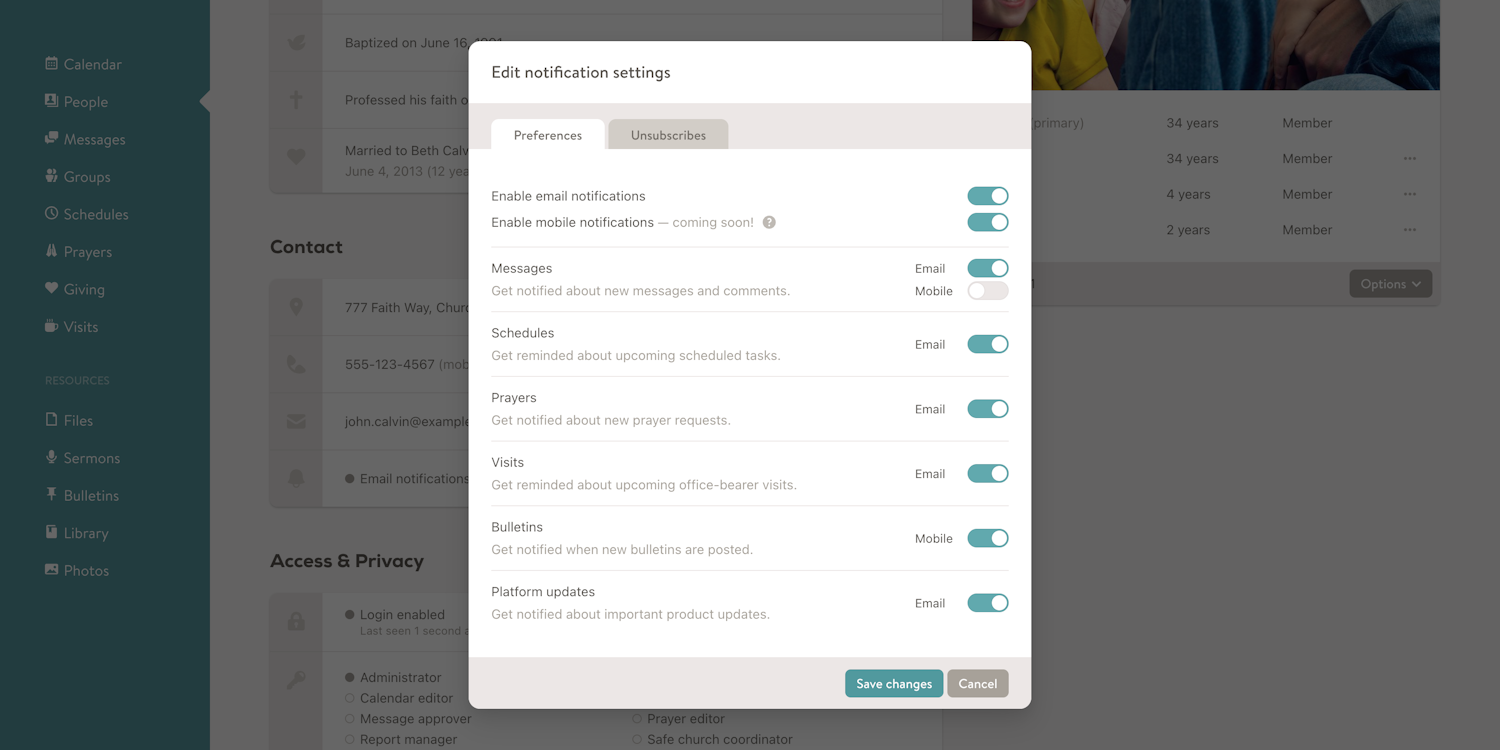
We're actively working on adding mobile notification support to the Church Social iOS and Android apps. Mobile notifications provide a better experience than email — you can tap a notification and be taken directly to the related content within the app.
To start, we plan to add mobile notifications for new messages sent from Church Social, as well as new bulletins that have been posted.
While mobile notifications aren't quite live yet, we've updated Church Social to prepare the notification settings now, so everything is ready when the updated mobile apps are released.
On the account notifications page (found in your profile), you'll now see a new "Enable mobile notifications" option. You can also control mobile notifications for:
- New messages (disabled by default)
- New bulletins (enabled by default)
Users must have the Church Social iOS or Android app installed to receive mobile notifications.
Administrators and statisticians can also manage notification preferences from the edit person page using a new "Edit notification settings" dialog, found in the contact section under the email address.
This new dialog includes mobile notification preferences, email notification preferences, and email unsubscribe options. Previously, these settings were managed through the "Edit email" dialog. Since notification preferences are no longer limited to email, we've moved everything into a dedicated notification settings dialog for better clarity and future flexibility.
We're really looking forward to getting mobile notifications into your hands and are hoping to have them live within the next couple of weeks — stay tuned!